This page describes and records the latest updates to the Supplier Portal. It is intended to give users a clear overview of new features, improvements, and other relevant changes made to the application. By reviewing these release notes, suppliers can stay informed about updates that may affect the way they use the portal.
本页面记录并说明供应商门户的最新更新。其目的是为用户提供有关新功能、改进内容以及对应用程序所做其他相关变更的清晰概览。通过查阅这些发布说明,供应商可以及时了解可能影响其使用门户方式的更新内容。
04/04/2026
Submit artwork/sample/3D design/Digital Embroidery
- In the right panel, select the images you would like to send for approval. Before submitting, please make sure that at least one image is selected. / 在右侧面板中,请选择您想审批的图片。在提交之前,请确保至少已选择一张图片。
- After selecting the images, click the “Message” button to open the message popup. / 选择图片后,点击“消息”按钮以打开消息弹窗。
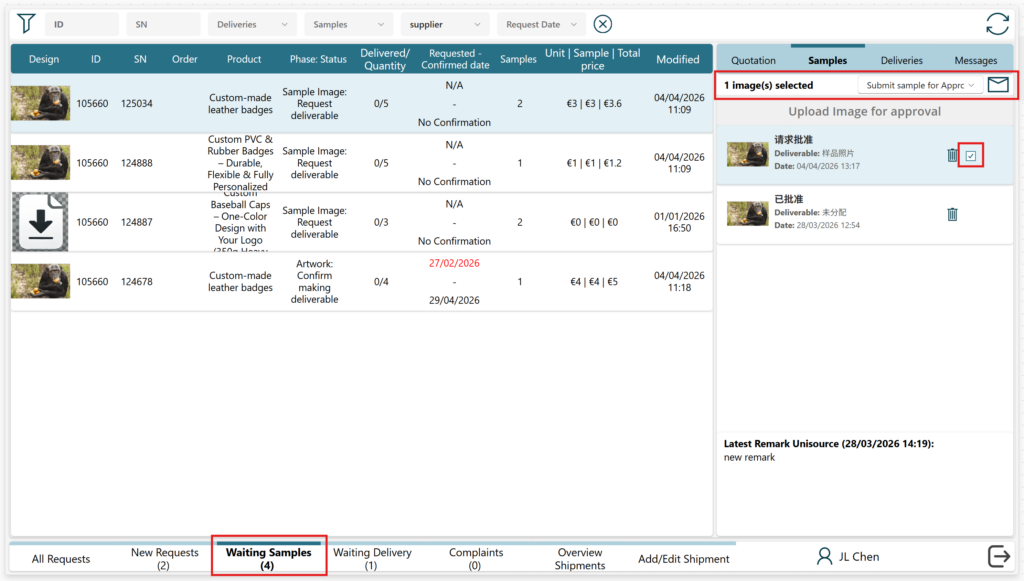
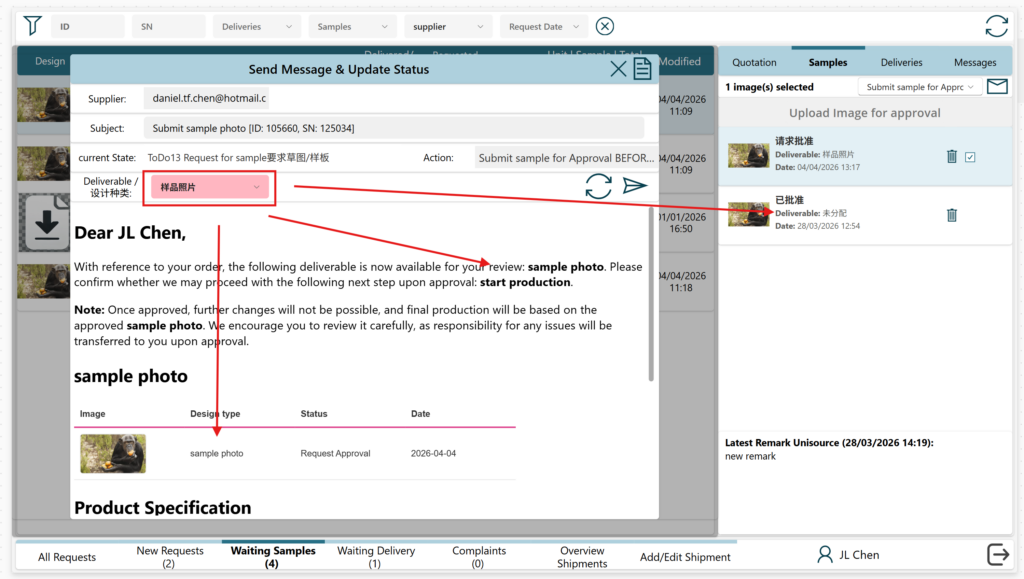
- In the popup window, you can review the email message before sending. / 在弹窗中,您可以在发送前查看邮件。
- In the popup, you can select the type of deliverable. This will update both the message content and the image classification within the system. A default deliverable type is selected automatically; if it is not correct, please adjust it manually. / 在弹出的窗口中,您可以选择设计的种类。选择后,系统将会自动更新消息内容和图片分类。系统会自动选择设计的种类,如果设计种类不准确,请劳烦手动修改。
Confirm making artwork/sample
- The “Confirm making artwork/sample” can also be selected in the right panel. In the popup you can select the deliverable type and the confirmed finish date of the deliverable / 您也可以在右侧面板中选择 “Confirm Making Artwork” or “Confirm making sample”。在弹出的窗口中,您可以选择设计的种类以及交付物的已确认完成日期。

03/27/2026
Submit quotation (提交报价)
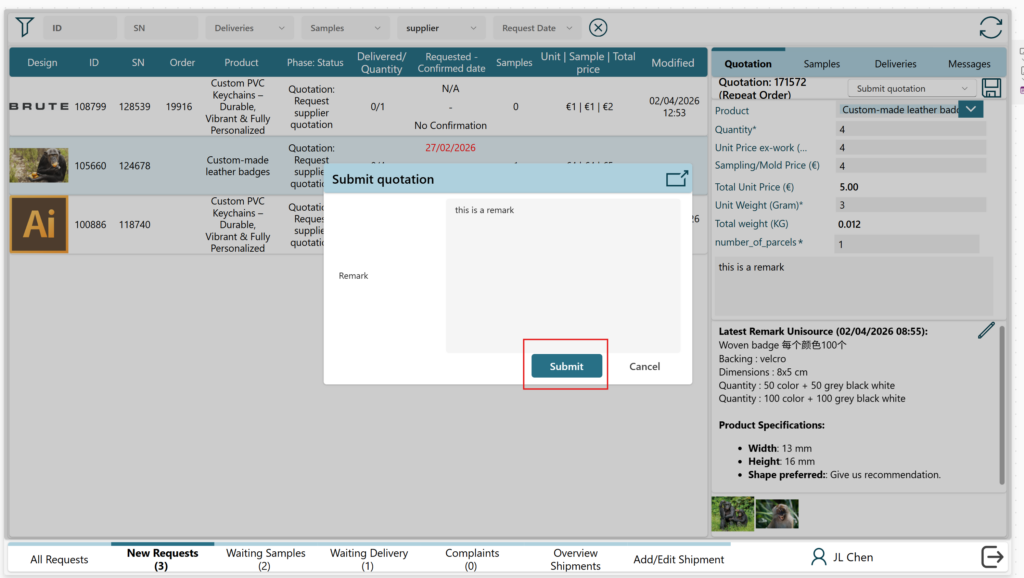
- Select “submit quotation” / 选择“提交报价”
- Click the save button / 点击“保存”按钮
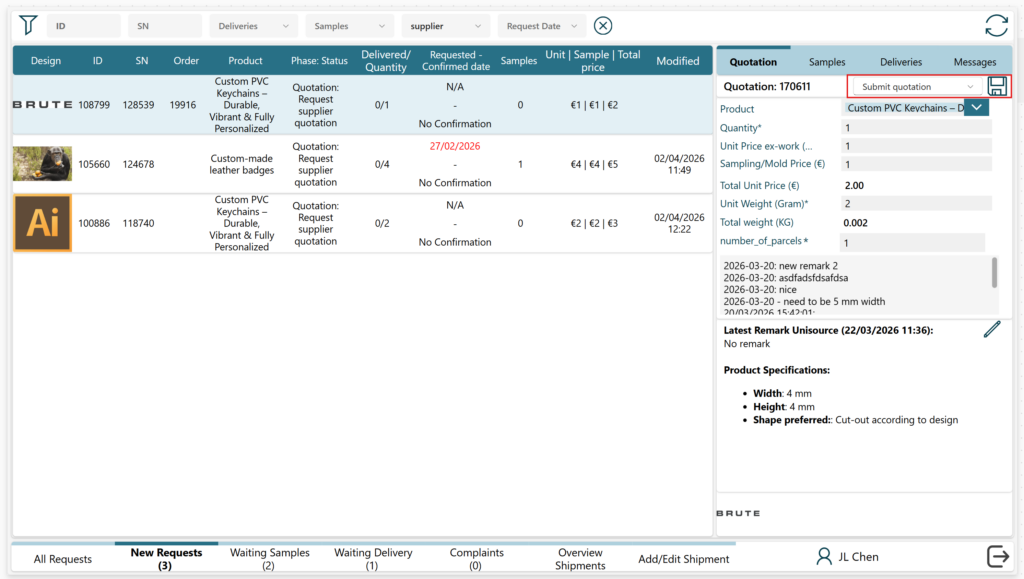
3. If needed, you can check the email message beforehand by clicking on the top right button / 如有需要,您可以点击右上角的按钮,预先查看电子邮件内容。

4. Then, the full email message will appear / 然后,完整的电子邮件内容将会显示出来
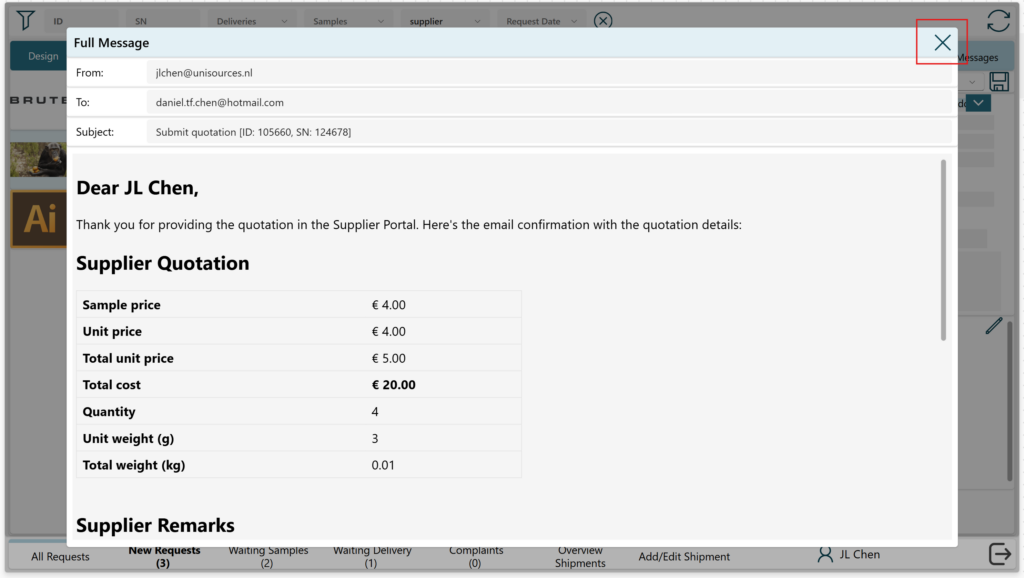
5. Submit the quotation by clicking the “submit” button. This will send an email confirmation and update the status of your request / 点击“Submit”按钮提交报价单。系统将发送一封确认电子邮件,并更新您的请求状态。
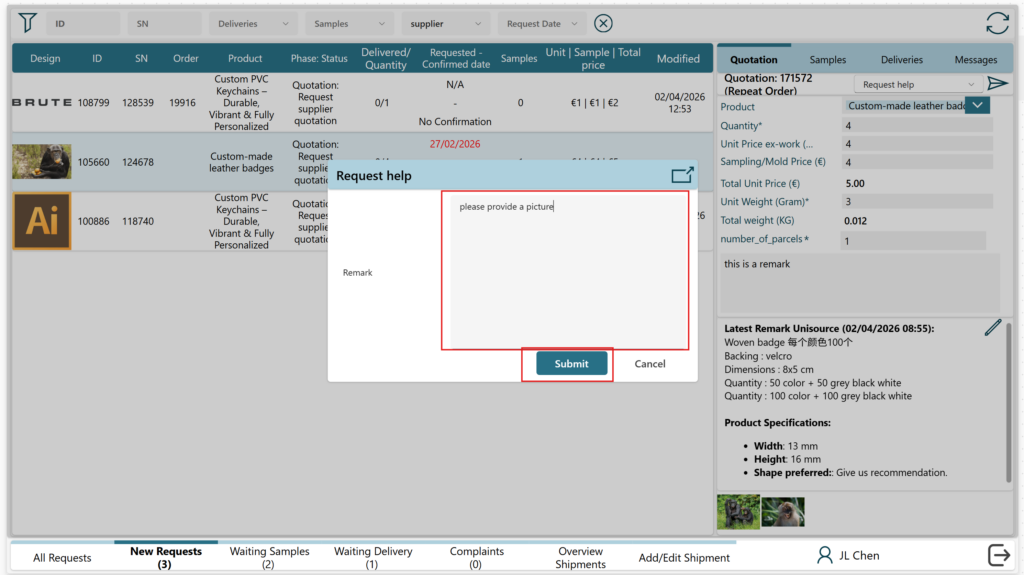
Request help (请求帮助)
- In case the request quotation does not have sufficient information (e.g. missing image) or you have any questions, you can use the “request help” action. / 如果询价请求中的信息不完整(例如缺少图片),或您有任何问题,您可以使用“请求帮助”操作。

- Write you remark or question and push the “submit” button / 填写您的备注或问题,然后点击“Submit ”按钮。
Submit revised quotation (提交修改的报价)
- When you want to modify a quotation you can select the “Submit revised quotation” action. This will save the quotation and send automatic email confirmation / 如需修改报价,您可以选择“提交修改的报价”操作。系统将保存该报价并自动发送电子邮件确认。